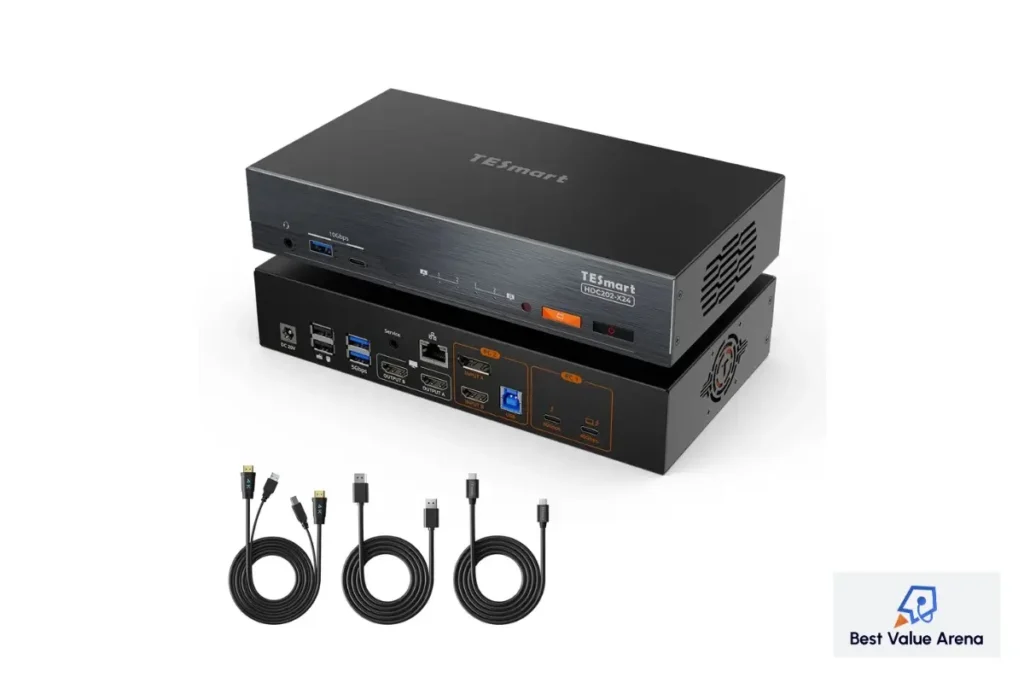
It becomes hard when managing two computers while using a dual monitor setup without proper hardware devices. The constant switching from one computer to another through cables consumes time. Therefore, there is a need to find a device that will allow a person to use two computers by controlling them in a convenient way. This product is an answer to this problem since it uses advanced display technology and high speed connectivity. The TESmart DKS202-M24 is designed for people who are interested in gaming, creation, developing, and professional work. Thus, the gamer will be able to connect to two computers using one keyboard, mouse, and two DisplayPort monitors.
With the development of technology, it becomes crucial to choose hardware that will ensure proper display quality. The TESmart DP 1.4 dual monitor KVM meets these requirements.
Why Choose the TESmart DKS202-M24?
The TESmart DKS202-M24 is a docking KVM switch that integrates dual monitor technology to help the user centralize their various desktop accessories using just a single device. Rather than having separate peripheral devices for different computers, users get to switch computers at will without the need for cable reconnection.
It caters to both professional work stations as well as gaming stations, thus making for an efficient workstation that is organized and manageable. With its DisplayPort 1.4 technology, USB expansion capability and networking capability among others, the TESmart DKS202-M24 ranks among the best in the market.
High-Resolution Display Performance
The display quality dictates the whole desktop experience. The TESmart DisplayPort KVM switch is capable of DisplayPort 1.4 bandwidth and thus offers high image quality and motion. It enables:
- Up to 8K resolution @ 60Hz
- Up to 4K resolution @ 240Hz
- Higher refresh rate for better gaming experience
- Sharp display for editing, coding, CAD and content creation
Dual monitors are used by many professionals to increase productivity. Using both displays via the TESmart KVM switch dual monitor setup removes any complexity without compromising display performance.
| Feature | TESmart DKS202-M24 |
| Display Standard | DisplayPort 1.4 |
| Computer Support | 2 PCs |
| Monitor Support | Dual Monitors |
| Maximum Resolution | 8K @ 60Hz |
| High Refresh Support | 4K @ 240Hz |
| USB Connectivity | USB 3.0 |
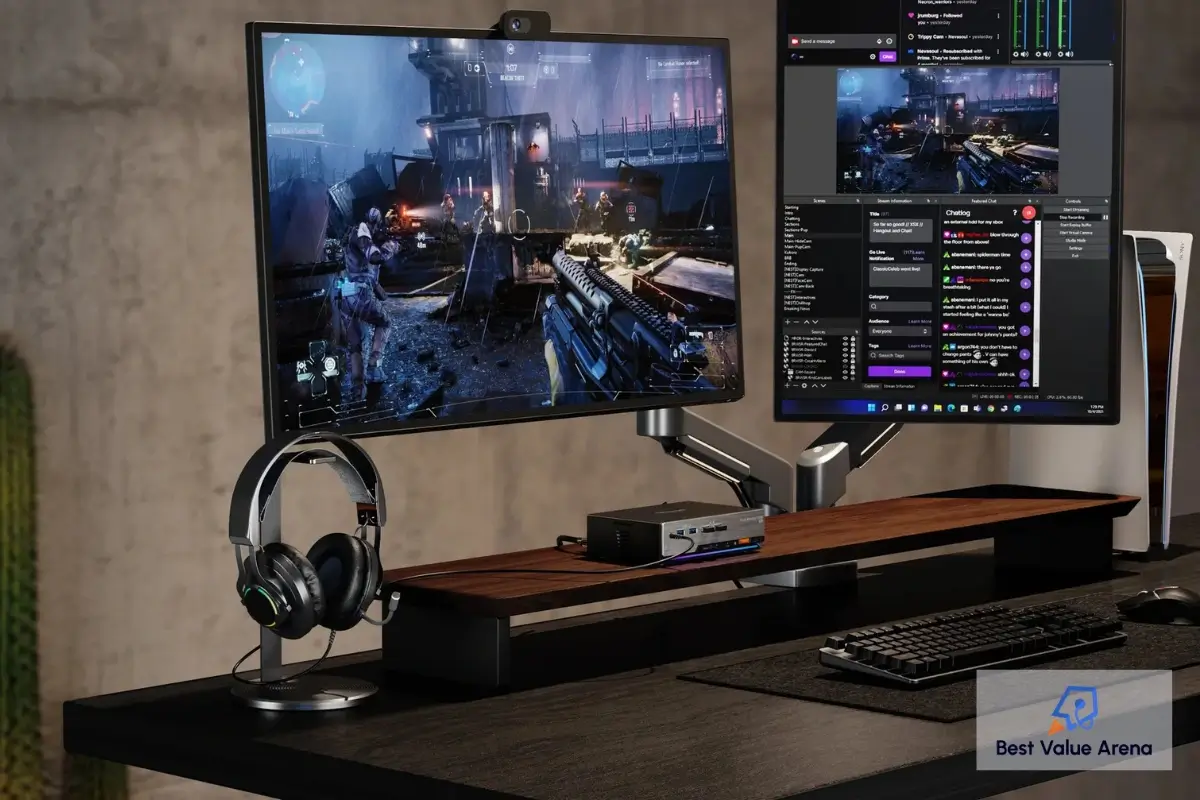
Designed for Modern Gaming
Gaming requires consistency with all of its components. Problems such as display disruption, resolution alteration, and inconsistent refresh rate might hinder the game. The TESmart 8K KVM switch is designed to ensure constant output of video even when switching from one system to another in order to maintain the gaming process. Support for G Sync compatible KVM functionality enables compatible NVIDIA systems to maintain adaptive refresh technology. This helps reduce screen tearing and creates smoother visual performance during fast-paced gameplay.
Players who stream from one PC and game on another can move between systems quickly without replacing keyboards, mice, or displays. This streamlined setup simplifies multi-computer gaming environments and reduces desktop clutter. For users searching for the best KVM switch for gaming, the DKS202-M24 offers premium specifications capable of supporting modern graphics hardware.
EDID Emulator Maintains Stable Display Communication
There are several aspects that differentiate high-end KVM switch from simple variants, one of which is the presence of EDID emulator. The Extended Display Identification Data (EDID) enables monitors and PCs to communicate display information. When switching, some of the KVM switches might disrupt the process causing detection delays, rearranging the desktop layout and changing resolution.
With the built-in EDID emulator of the TESmart DKS202-M24, the display information is maintained during switching and connected computers are able to identify the monitors properly without any disruptions or changes in the layout. This feature is especially useful for designers, programmers, editors and other specialists who need their multi-monitor setup.
Built for Productive Workstations
Though the use of gaming is limited, there are many other uses of this TESmart dual monitor KVM switch. Some of these include:
- Office workstation and personal computer
- Windows and Mac computers
- Computer desktop and laptop together
- Software development and testing workstations
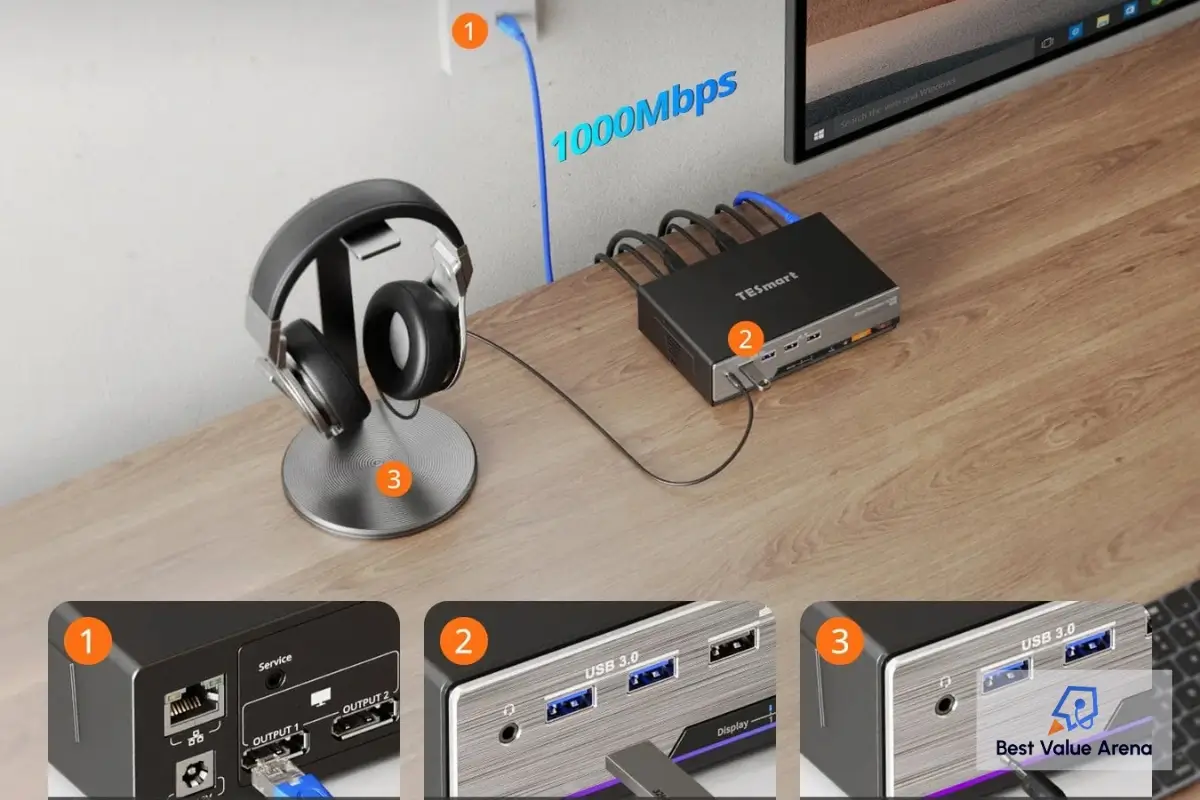
Rather than buying separate peripherals for each computer, the DKS202-M24 helps in using the existing workstation for both computers. With its built-in USB ports, the user does not have to keep disconnecting these items repeatedly. This enhances the effectiveness of work performed at the station. The inclusion of the Gigabit Ethernet also makes the networking simple for these compatible connected systems.
Flexible Switching Options
The KVM switch needs to ensure that switching is easy. There are various ways through which switching can be accomplished by TESmart. Switching can be done through the following options:
- Front panel button
- Hotkey on the keyboard
- Infrared remote
This will ensure that switching can be done instantly and efficiently without disturbing any current activities. It is appropriate for use in offices, studios, games rooms and workstations.
Reliable Connectivity for Everyday Use
The contemporary office needs more than video connectivity. Nowadays, peripherals play an integral part in daily tasks, and the reliability of USB connectivity is crucial too. The TESmart DKS202-M24 incorporates USB 3.0 connectivity to enable fast communications between supported devices. External storages, keyboard, mouse, web camera, microphone, and other USB devices are readily available on the common desk.
There is no need to connect and disconnect wires from one PC to another all the time – it allows creating a more convenient office setup. Moreover, the built-in dock provides better connectivity because it combines several computer desk features in one piece of equipment.
Why It Ranks Among the Best Dual Monitor KVM Switch Options
Selecting a good dual monitor KVM switch goes beyond comparing the specs since other aspects come into play such as long term reliability, screen compatibility, switching stability, and the user experience as a whole. The TESmart DKS202-M24 provides a great set of features that will meet the needs of the pros and enthusiasts. Compatibility with DisplayPort 1.4 ensures the ability to use modern screens, EDID emulation keeps your display settings safe, USB expandability adds convenience, and different switching options ensure the ease of use during the entire work day.
Final Thoughts
The TESmart DKS202-M24 is a combination of state-of-the-art display performance, reliable switching capability, and useful workstation characteristics. The compatibility of this device with DisplayPort 1.4, dual screen use, high refresh rate, built-in EDID emulator, USB 3.0 ports, and switching capabilities allows creating a good compromise between efficiency and entertainment.
No matter whether it is programming and production of creative content or competitive gaming and mixed workplaces that require a lot of effort, this TESmart KVM switch can easily adjust to challenging conditions. Anyone who wants to get the most efficient 8K KVM switch, high-quality TESmart DisplayPort KVM switch, or reliable TESmart KVM switch dual monitor option will find this product suitable for both current and upcoming needs.